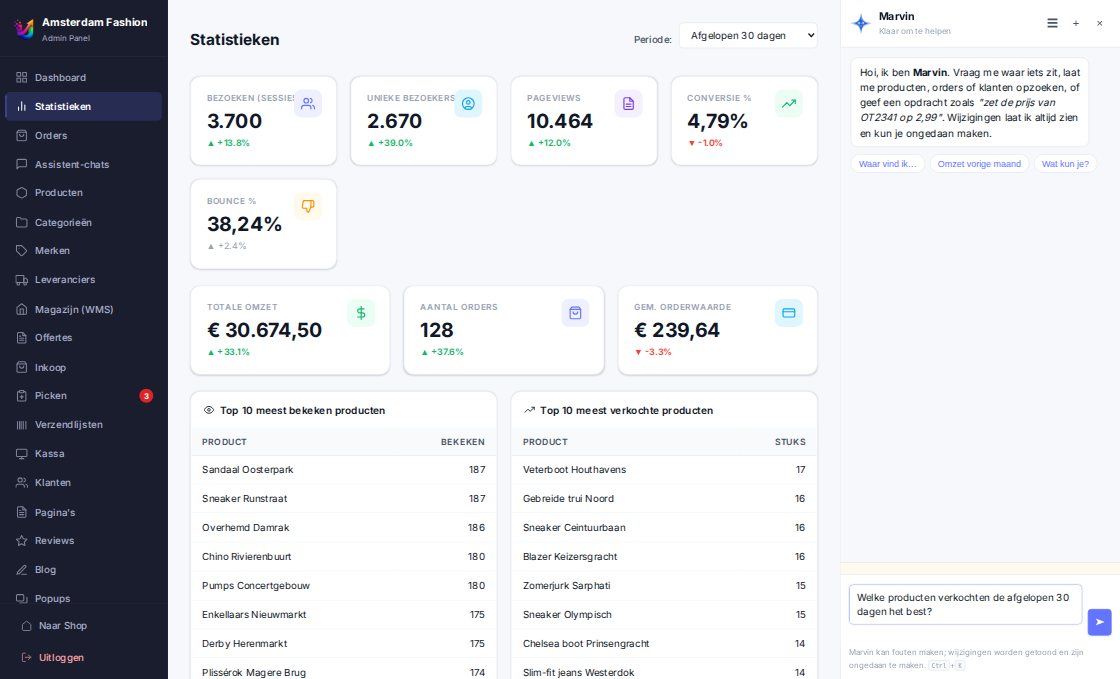
Marvin
What Marvin does for you
Marvin uses the same rules as the admin itself: your permissions, your store, your stock logic. He cannot do anything you could not — just faster.
Products in bulk
"Hide all products of brand X", "raise prices in category Y by 3%", "enable backorders for this selection". Marvin first freezes the selection, shows what he is about to do and only executes after your yes. Deleting goes to a recycle bin with all related data and files — restore with the original ids.
- Relative stock changes, never overwriting
- Settings only via a whitelist; keys and passwords are out of reach
Reports and exports
Revenue per country, top products, customers who have not ordered in a while, discount usage, stock value — as a table in the chat and as xlsx or csv. The export is exactly what you saw in the chat.
E-mail customers
A mailing to an audience in plain language. Consent rules decide who receives it, Marvin's text is placed safely in your template, every e-mail has an unsubscribe link and sending requires a typed confirmation.
Orders and customers
Change order status along the same guarded transitions as the order page, look up orders, check customer details, prepare a quote. Nothing bypasses the rules.
Purchasing and gift cards
"What should I order this week?" returns the current purchase proposal; Marvin adjusts the order, registers a receipt or sends the order form (typed confirmation). Issue gift cards, check balances, pin or exclude product relations.
Designing in the live editor
In the editor you describe the look you want. Marvin adjusts the draft, screenshots desktop and mobile, measures widths, alignment and whether the buy buttons are clickable — and rolls back as soon as something critical breaks. Publishing asks for your confirmation.
- At most three attempts, each carrying what went well last time
- Before-and-after in the chat
Safe by design
Every action gets an audit row with a snapshot per target and an Undo button with conflict detection. Bulk and irreversible actions exist only as a plan you confirm — the model never sees the execution token. Marvin works strictly within your store and your permissions.
Onboarding with Marvin
For a new store Marvin walks the checklist with you: theme, languages, payment, shipping, accounting. The migration import sits in the same flow.
Not to be confused with the Shopping Assistant
Marvin works exclusively for you and your team, in the admin. Your visitors never see him. For them there is the Shopping Assistant: the AI salesperson and customer service in the store, under the name and face you choose. It can do nothing in your admin — and Marvin nothing in a conversation with a customer.