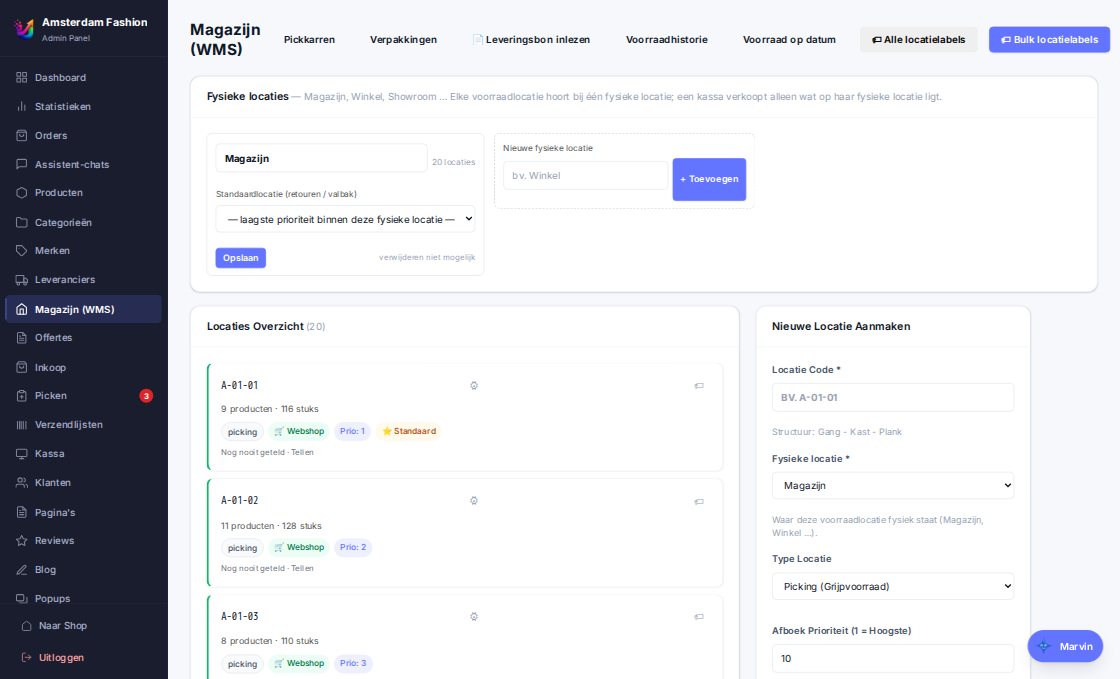
Locations
Stock per location, moves, a fixed catch-all bin for returns. Physical locations group bins into Warehouse, Shop or branch; the POS sells only from shop stock, the store from everything sellable.
- Location labels in bulk (Code 128), shelf labels per product (EAN-13)
- Counting per location with expected quantity and a correction with reason
- Goedgepickt sync per location if you still use that WMS
Pick & pack
Pick lists per order or as a batch with cart and bins, in walking order. The packing station confirms each line with the scanner, picks the box, prints packing slip and label and handles pickup orders with "Ready" and "Collected". A scanned packing slip opens the packing screen anywhere in the admin.
- Partial shipments: what is in stock goes ahead
- Shipping lists per carrier as A4 PDF with barcodes
- Packing slip always A4 layout, scaled down automatically on smaller paper
Labels from PostNL, Sendcloud and Bol
PostNL with the full product catalogue under your own names, pickup point, evening delivery and delivery date in checkout and on the label; Sendcloud for multiple carriers through one connection; Bol labels with confirmation. Shipping methods per country with weight, price and free-from, name per language translated automatically.
- Track & trace e-mail with pickup point or evening line in the customer's language
- Reference "Order {no}" on the label, adjustable
Printers and devices
The Uvoria Print Client (Windows) pairs with a code and reports its printers and paper sizes. Per print type you choose queue or direct printing: packing slip, label, pick list, invoice, receipt (ESC/POS), shelf label and location label. Automatic printing when packing is completed.
- Label size follows the paper the printer reports
- Receipt and cash drawer via the receipt printer
Stock log and stock on any date
Every mutation — physical, reservation, move, sellability — is logged with quantity before and after. Look back at the stock of any product on any date, see sold-out days and take over the history from Goedgepickt.
- Free stock = shelf − reserved − backorder; may go negative as backorder
- Shelves, store and Bol always stay ≥ 0
Bol.com orders
Bol orders arrive as regular orders, with postponement to the Bol delivery day, label from Bol or PostNL, confirmation, cancellations and returns with credit note. Multiple Bol accounts per store, each with its own offers, tiered prices and clearing account in the books.
- Stock to Bol = online stock minus an adjustable margin
- Pause instead of delete when sold out