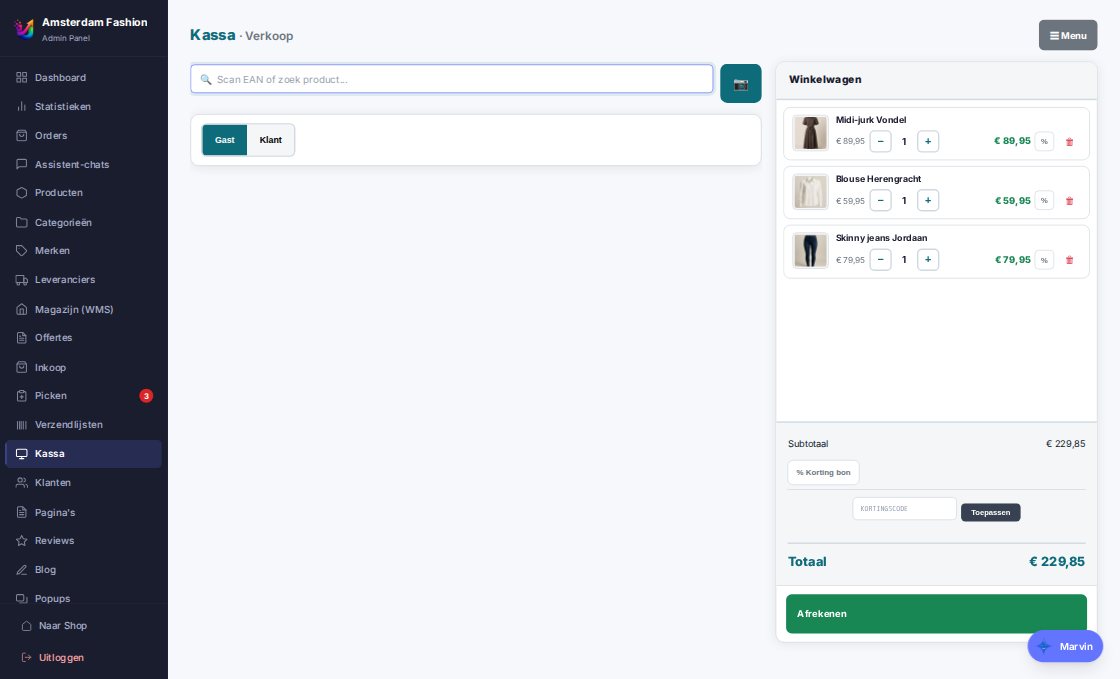
A register that runs in the browser, takes card payments with SumUp or an iDEAL QR, and files every receipt as a regular order in the same administration.
A receipt is an order. So stock, invoices, accounting and customer history work exactly as in the online store.
Selling
Search or scan, choose variants, discount per line or per receipt, redeem discount codes and gift cards. Kiosk mode and a cashier role without a menu, tap and vibration feedback on the tablet, portrait layout.
Receipt as ESC/POS on a receipt printer, cash drawer via the printer
Invoice on request from the same series as the online store
The POS app refreshes itself after a settings change
Card and payment
SumUp Solo card terminal per register — the order is fixed first, payment follows via webhook and verification, so a receipt is never closed without payment. Or show an iDEAL QR via Mollie that the customer scans with any banking app. Cash with change, tips booked separately.
Refund to the card via the SumUp API
A late payment after cancellation reopens the receipt with a stamp
Payment channel per receipt to accounting: cash, SumUp, external terminal, Mollie
Customer display
A second display per register shows the receipt, the payment phase and the QR — with its own pairing code and without a register session, so it is safe. Screensaver with your own images between customers.
Updated every second, without loading the register
Only QR codes from Mollie and iDEAL are shown
Customers at the counter
Search by name, e-mail, phone or postcode + house number; create a customer on the spot. The receipt joins the customer history and counts towards loyalty points. A customer who later sets a password finds all their receipts.
Backorders at the counter
Out of stock? Sell it anyway: the customer chooses pickup or shipping, the remainder goes to the pick lane automatically when it arrives, with "Ready" and "Collected" in the packing station.
Register linked to a physical location: only shop stock counts
Strict stock: a shortage is reported, never silently written off
Returns and receipts
Receipts tab with history, reprint, cancel and credit. A return creates a credit note in the invoice series, books stock back to the return location and refunds via cash, SumUp or Mollie — first onto a gift card that was used.
Multiple registers and cash book
As many registers as you want, each with its own printer, terminal, customer display and cash book (open, in/out, close). A register device stays logged in for 90 days. Managed under Settings → Registers with its own permission.
Receipts and tips go to e-Boekhouden automatically
Revenue statistics count shop and online store together
How it works
Set up a register in fifteen minutes
1
Create a register
Choose the physical location, printer and terminal.
2
Pair the device
Open the register on the tablet, enter the pairing code — logged in for 90 days.
3
Pair the customer display
Second display with its own code; QR and receipt appear automatically.
4
Sell
Scan, card or QR, receipt prints — and the order is in the same list as the online store.
We onboard new stores one at a time, so every migration gets the attention it deserves. Sign up and we will contact you personally as soon as we can connect you.